
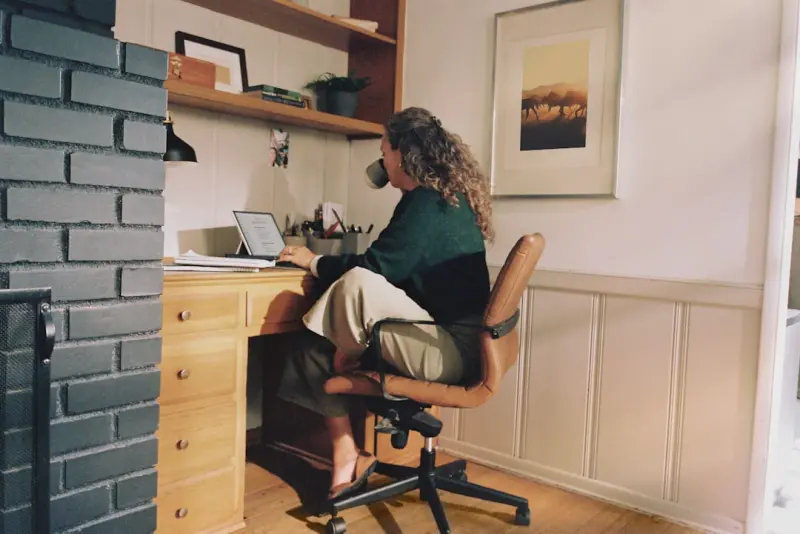
Transform Your Home Office into a Productivity Power‑Hub
When I first started working from my kitchen table, I thought a sturdy chair and a fast Wi‑Fi connection were the only ingredients for success. Fast forward a few years, and I’ve learned that a home office is a living, breathing ecosystem. The way light filters in, the quality of the air you breathe, the ergonomics of your desk setup, and even the subtle background noise can either amplify your focus or sabotage it. In this deep‑dive, I’ll walk you through a step‑by‑step framework for turning any spare room, nook, or hallway into a high‑performance workspace that fuels creativity, protects health, and respects a homeowner’s budget.
1. Diagnose Before You Design: The Audits That Matter
Before you buy a new desk or splurge on a premium chair, take a moment to audit the space. Think of it as a health check for your future office:
- Light assessment: Observe how natural light moves across the room at different times of day. Is the glare hitting your screen? Does the room feel dim in the afternoon?
- Acoustic snapshot: Listen for ambient noises—traffic, HVAC hum, or the neighbor’s lawn mower. Note which sounds interrupt your concentration.
- Air quality scan: While you might not have a professional IAQ meter, you can gauge freshness by checking for lingering odors, dust accumulation, or signs of mold on walls. For a deeper dive on mold prevention, see our guide on Eco‑Friendly Mold Removal: Green Strategies for Healthier Buildings.
- Electrical load review: Count the number of devices you’ll plug in. Overloaded circuits are a hidden safety hazard and can cause performance drops.
By documenting these variables, you’ll have a data‑driven foundation for every design decision that follows.
2. Light It Right: Harnessing Daylight and Smart Fixtures
Research shows that exposure to natural light boosts mood, regulates circadian rhythms, and improves alertness. Position your primary work surface perpendicular to a window to reduce glare while still soaking up daylight. If your space lacks windows, invest in full‑spectrum LED panels that mimic the sun’s color temperature. Pair them with tunable lighting that shifts from a cool blue in the morning (to stimulate focus) to a warm amber in the evening (to prepare the body for rest). This dynamic lighting strategy prevents eye strain and reduces reliance on harsh overhead fluorescents.
Don’t overlook task lighting. A flexible, adjustable desk lamp with a dimmer gives you granular control over illumination for reading, sketching, or video calls. And remember: a well‑lit backdrop makes you look more professional on camera—a small but often overlooked benefit for remote meetings.
3. Air Quality: The Invisible Productivity Booster
Most home‑office enthusiasts focus on ergonomics and tech, yet the air you breathe plays a silent but pivotal role in cognitive performance. Poor indoor air quality (IAQ) can trigger headaches, fatigue, and reduced concentration. Simple actions can dramatically improve IAQ without breaking the bank:
- Introduce houseplants known for pollutant absorption, such as snake plant, pothos, or peace lily. They act as natural air filters while adding a touch of biophilic design.
- Swap out old carpet or heavily dust‑laden rugs for low‑pile options that are easier to clean.
- Schedule regular HVAC filter changes. A clogged filter is a silent assassin of airflow.
- Consider a compact HEPA air purifier for rooms lacking ventilation. When selecting one, check the CADR rating to ensure it matches the square footage of your office.
For a deeper understanding of how mold can erode IAQ and health, our Eco‑Friendly Mold Removal article provides actionable steps to keep your workspace fungus‑free.
4. Ergonomic Mastery: Seating, Desking, and Movement
Spending eight hours or more at a desk demands a setup that supports spinal alignment, reduces repetitive strain, and encourages micro‑movements. Here’s the ergonomic trifecta:
- Chair: Look for adjustable lumbar support, seat depth, and armrests. A chair that allows you to keep your feet flat on the floor and knees at a 90‑degree angle is essential.
- Desk height: If you can, opt for a sit‑stand desk. Alternating between sitting and standing every 30‑45 minutes improves circulation and cuts back‑pain risk. If a full sit‑stand desk isn’t feasible, a desktop riser can provide a temporary standing surface.
- Keyboard and mouse placement: Keep them at elbow height, with wrists straight and forearms parallel to the floor. An ergonomic mouse or a trackball can reduce wrist extension.
But ergonomics isn’t only about furniture. Incorporate movement breaks: set a timer for a 5‑minute stretch every hour, practice the “20‑20‑20” rule for eye health (look at something 20 feet away for 20 seconds every 20 minutes), and consider a balance board or foot roller to keep muscles engaged.
5. Sound Management: Crafting a Quiet Zone Without Soundproofing
While full‑scale soundproofing may be overkill, you can tame distracting noises with strategic, budget‑friendly solutions:
- Soft furnishings: Rugs, curtains, and upholstered furniture absorb sound waves, reducing echo.
- Acoustic panels: DIY panels made from mineral wool wrapped in fabric can be mounted on walls behind your monitor to dampen reflections and external noise.
- White‑noise machines: A subtle, steady hum can mask sudden interruptions like traffic or construction. Choose a device with a variety of sound profiles to avoid habituation.
- Headphones: Noise‑cancelling headphones are a quick fix for spontaneous calls or brainstorming sessions that require focus.
These steps create a “quiet zone” that promotes deep work without the cost of a full acoustic renovation.
6. Cable Management: The Aesthetic and Functional Payoff
Messy cords not only look unprofessional on video calls—they’re a tripping hazard and can cause overheating. Adopt a cable‑first mindset:
- Use zip‑ties or Velcro straps to bundle cords at the back of your desk.
- Install a desk grommet or cable tray to route power and data cables cleanly.
- Opt for wireless peripherals where possible (keyboard, mouse, speakers) to reduce the overall cable count.
A tidy cable ecosystem not only improves aesthetics but also simplifies troubleshooting when a device stops responding.
7. Technology Hygiene: Keep Your Devices Running Smoothly
Just as you wouldn’t ignore routine car maintenance, your home‑office tech needs regular check‑ups. A neglected laptop can slow down, causing frustration and wasted time. Follow a proactive approach similar to the one described in our Real Value of Proactive Appliance Repair article:
- Software updates: Enable automatic updates for OS, browsers, and security suites.
- Hardware cleaning: Dust the vents and fans of your computer monthly to prevent overheating.
- Backup routine: Use a cloud service or external drive to back up critical files weekly.
- Security scan: Run a full antivirus scan at least once a month to guard against malware that can slow performance.
By treating your tech like a well‑maintained appliance, you’ll avoid surprise downtime and keep your workflow humming.
8. Personalization Without Clutter: The Psychology of a Balanced Space
Human beings are visual creatures. A workspace that feels personalized can boost motivation, but clutter can create visual noise that hampers focus. Strike a balance:
- Display one or two meaningful items—perhaps a framed photo, a small sculpture, or a plant—to give the space character.
- Use hidden storage solutions (under‑desk drawers, floating shelves) to keep paperwork and supplies out of sight.
- Adopt a “one‑in, one‑out” rule for décor: when you add something new, retire something else.
These simple habits keep the environment fresh and mentally stimulating without overwhelming the senses.
9. Energy Efficiency: Power‑Smart Practices for the Home Office
Remote work can increase household energy usage, especially when you run multiple devices simultaneously. Mitigate this impact with a few clever tweaks:
- Power strips with an on/off switch let you cut phantom load from chargers and peripherals when not in use.
- Choose ENERGY STAR‑rated monitors and laptops that consume less electricity.
- Leverage natural light during the day, reducing the need for artificial lighting.
- Consider a small solar panel charger for mobile devices if your office receives ample sunlight.
These habits not only shrink your carbon footprint but also lower utility bills—an added win for any homeowner.
10. Routine Maintenance: The Weekly “Office Reset”
To keep your home office at peak performance, schedule a quick weekly reset:
- Dust surfaces and vacuum the floor.
- Wipe down screens and keyboards with a microfiber cloth.
- Check that cables are still tidy and that no new cords have been added.
- Review your task list and adjust the layout if you notice any workflow bottlenecks.
- Re‑evaluate lighting and air quality—open a window if the space feels stale.
This ritual takes less than 15 minutes but pays dividends in sustained productivity and a space that feels continuously refreshed.
Conclusion: The Home Office as an Extension of Your Professional Identity
Creating a high‑performing home office isn’t about splurging on the most expensive gear; it’s about intentional design, regular upkeep, and aligning the environment with how your brain works best. By auditing light, sound, air, ergonomics, and technology, you lay a foundation that supports focus, creativity, and wellbeing. The next time you settle into your chair, notice how each element—whether a well‑positioned plant or a tidy cable—contributes to a smoother, more satisfying workday. Treat your home office as a living system, and it will reward you with the clarity and energy you need to excel.

David MacKinnon is a dynamic freelance writer known for his captivating storytelling and keen insights into the world of technology. With a passion for exploring the intersection of innovation and everyday life, he crafts engaging narratives that not only inform but also inspire his readers.
Related Posts

How to refinish your Deck to make it look like new again
Revitalize your outdoor living space by following this step-by-step guide to deck maintenance. Learn... Read More

Smart Lighting Hacks to Transform Your Home Without Breaking the Bank
Unlock the power of light with practical, budget‑friendly tips that enhance comfort, cut energy co... Read More

Unplugged Power: Simple Hacks to Stop Energy Vampires at Home
Learn how to locate and cut out the silent electricity leeches in your house with easy plug‑manage... Read More
Top Posts

Masonry's Quiet Revolution: Harnessing Thermal Mass for Sustainable Buildings
Thermal mass is the unsung hero of masonry, offering passive heating and cooling that can dramatically reduce energy consumption. This post explores design stra...Read More

DIY Home Repairs: Sustainable Solutions From a Veteran Contractor
Discover practical, sustainable DIY repair strategies that combine cost‑saving techniques with eco‑friendly materials, all from veteran contractor William R...Read More

The Minimalist’s Blueprint for a DIY Home Repair Kit That Actually Works
A step‑by‑step guide to creating a minimalist repair kit, diagnosing issues, and tackling everyday home fixes confidently and affordably....Read More

How Smart HVAC Choices Protect Your Health and Wallet
A fresh look at HVAC: learn why smart thermostats, zoning, and regular maintenance safeguard health, cut costs, and keep your home ready for tomorrow’s tech....Read More
0 Comments
Post Comment
You will need to Login or Register to comment on this post!